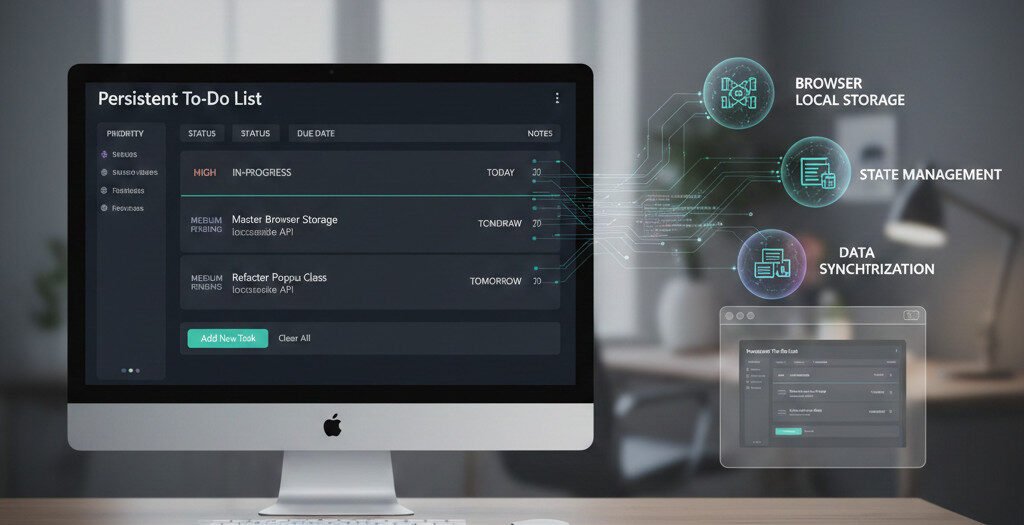
Creating an Application That Remembers
After building interactive games with JavaScript, I faced a new challenge: creating applications that persist data. This To-Do List project represents my dive into client-side storage and stateful web applications—turning temporary webpages into functional software that remembers.
The Core Problem
Most beginner projects lose everything on refresh. I wanted to build something that would:
- Remember tasks between browser sessions
- Organize work with priorities and statuses
- Provide professional UI with proper validation
- Handle complex state management
Technical Implementation
LocalStorage Deep Dive
I learned to store complex data structures, not just strings:
localStorage.setItem(key, JSON.stringify({
  name: itemName,
  date: itemDate,
  status: itemStatus,
  priority: itemPriority,
  note: itemNote
}));
Professional Architecture
This project marked my first serious use of object-oriented patterns in production code:
class Popup {
  constructor(popupSelector, overlaySelector) {
    this.popups = Array.from(document.querySelectorAll(popupSelector));
    this.overlay = document.querySelector(overlaySelector);
  }

  start() {
    this.popups.forEach(popup => {
      popup.classList.remove("opacity-0");
      popup.classList.add("opacity-100", "shown");
    });
  }
}
Complete CRUD System
I implemented all four operations:
- Create: Form-based task creation with validation
- Read: Automatic loading of saved tasks on page load
- Update: Individual task deletion with proper state cleanup
- Delete: Bulk clearing with safety confirmation dialogs
Key Features

Professional UI/UX
- Modal forms that don’t navigate away from the page
- Smooth CSS transitions for all interactions
- Intelligent table visibility (hidden when empty)
- Error validation with user-friendly messages
Robust State Management
- Persistent counter tracking across sessions
- Proper JSON serialization/deserialization
- Dynamic event binding for newly created elements
- Memory leak prevention through clean event cleanup
Data Safety
- Confirmation dialogs before destructive actions
- Comprehensive form validation
- Graceful handling of corrupted or missing data
- Proper localStorage key management
Technical Challenges Solved
Challenge 1: State Synchronization
Problem: Keeping localStorage, UI, and application state in sync.
Solution: Created a unified data flow with proper cleanup routines.
Challenge 2: Dynamic DOM Management
Problem: Attaching events to elements created after page load.
Solution: Implemented event delegation and data-attribute patterns.
Challenge 3: Memory Management
Problem: Preventing memory leaks with dynamically created elements.
Solution: Proper reference cleanup and garbage collection consideration.
The Learning Journey
This project taught me several critical lessons:
1. Data Design is Everything
How you structure data determines your application’s capabilities and limitations.
2. Persistence Changes Everything
Once data survives refreshes, a webpage becomes an application.
3. User Experience is Code
Good UX isn’t just CSS—it’s thoughtful error handling, confirmations, and intuitive workflows.
4. Edge Cases Define Robustness
Most complexity came from handling empty states, invalid data, and browser quirks.
Architectural Decisions
Why a Class-Based Popup System?
- Reusable, self-contained components
- Predictable state management
- Modern JavaScript patterns
Why LocalStorage?
- Simpler API for this use case
- Larger storage capacity than cookies
- Better performance for frequent operations
- No server dependency
Why This Data Structure?
The composite key system (itemName + counter) allowed for:
- Easy lookup and deletion
- Simple counter management
- Straightforward serialization
The Breakthrough Moment
The first time I added a task, closed the browser, reopened it, and saw my task still there—that was the moment this stopped being “just another tutorial project.” It felt like real software development.
Areas for Growth
As a version 1.0, I recognize opportunities for enhancement:
- Drag-and-drop reordering
- Category and tag systems
- Due date reminders
- Export/import functionality
- Cloud sync capabilities
Conclusion: From Scripts to Applications
This To-Do List project represents a significant milestone in my development journey. It’s where I learned that the difference between a “script” and an “application” is persistence, thoughtful architecture, and production-ready considerations.
The skills I developed here—state management, client-side storage, and professional JavaScript patterns—form the foundation for more complex applications, frameworks, and full-stack development. It’s the bridge from learning syntax to building software.