
The creation of my personal platform was driven by a single objective: to build a website that functions as a living proof of my technical standards. In an industry where many developers rely on expensive “Pro” plugins and “black-box” systems—where the internal logic is hidden from the client—I engineered a site that prioritizes total transparency and performance using entirely free tools.
This project serves as a meta-demonstration of my ability to bridge high-end UI/UX with complex, custom-coded backend architecture without relying on premium third-party dependencies.
The Challenge: Beyond the Static Gallery
The primary challenge was to move beyond the traditional “static gallery” portfolio. I wanted potential clients and fellow engineers to be able to audit my work without downloading files or leaving the browser. The goal was to create a “Live Lab” environment where complex projects could be dissected and run in real-time.
To achieve this, I had to overcome several hurdles:
- Technical Transparency: Providing a way for visitors to inspect raw code and live functionality side-by-side.
- Security & Efficiency: Safely handling file extraction and execution within a secure WordPress environment.
- Performance Maintenance: Ensuring that heavy backend file operations did not degrade the site’s high PageSpeed scores.
Proprietary Innovation: The Archive Explorer Plugin
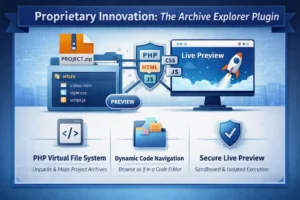
To solve these challenges, I engineered a custom WordPress plugin: the Archive Explorer. This specialized PHP and JavaScript engine is integrated directly into my Code Journal to act as a bridge between a raw project archive and a live interactive preview.
Key Technical Features of the Plugin:
- PHP Virtual File System: When a project ZIP is uploaded via ACF, the backend PHP engine uses
ZipArchiveto unpack and map the directory structure dynamically. - Dynamic Directory Mapping: The system recursively scans extracted folders to build a clean, folder-based navigation UI, allowing visitors to browse internal project logic as if they were in a professional code editor.
- Asset Categorization: It automatically identifies and styles file types (HTML, CSS, JS, PHP) with dedicated icons and syntax highlighting via Prism.js.
The Logic: Dynamic Execution via JavaScript Blobs
The core innovation is the “Virtual Preview” functionality, which I developed to solve the problem of running multi-file projects in a sandboxed environment without permanent server-side execution.
How the Execution Framework Works:
- Dependency Crawling: Upon clicking “Preview,” a custom AJAX handler crawls the HTML for linked styles and scripts.
- Blob URL Generation: The system converts code into Base64 and then into JavaScript Blobs using
URL.createObjectURL(), creating temporary virtual URLs for these assets. - Sandboxed Injection: The engine gathers the HTML, CSS, and JS, then dynamically injects them into a secure iframe, allowing the functional result to run instantly side-by-side with the code.
Performance Architecture & Optimization
Despite the complexity of the Archive Explorer and the dynamic injection logic, the website maintains a 90+ PageSpeed score through a “Performance-First” philosophy:
- Zero-Cost High Performance: The site was built using WordPress and the Free Version of Elementor. By relying on custom CSS and PHP logic instead of “Pro” features, I eliminated the code bloat often associated with premium add-ons.
- Lazy-Loaded Assets: The Archive Explorer’s JavaScript and CSS only initialize when a user interacts with a Code Journal entry.
- Vanilla JavaScript Implementation: I opted for pure Vanilla JS over heavy libraries to keep execution times under 100ms.
- Server-Side Caching: The PHP system only unpacks archives once, serving subsequent requests from a cached file-tree to minimize hosting disk stress.
The Result: Total Client Empowerment
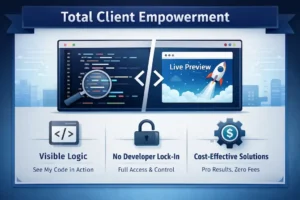
The true value of this build is strategic. By integrating the Archive Explorer, I provide a level of transparency that standard agencies cannot match.
What this means for my clients:
- Visible Logic: You can see exactly how I write code before we ever start a project.
- No Developer Lock-in: The clean, documented structure of my projects ensures you have total technical authority over your site.
- Custom-Engineered Growth: This project proves I can deliver “Pro-level” results using free tools combined with advanced custom engineering, saving you on unnecessary recurring subscription costs.
Conclusion: Engineering Authority
Upantor.com is more than just a resume; it is a functional proof of concept. It demonstrates my ability to handle full-stack challenges, from low-level PHP file handling and server-side security to high-level JavaScript interactivity and modern UI strategy using only free, open-source tools. By building the very tools I use to showcase my work, I have created a platform that earns trust through visible logic and high-performance engineering.